Composer Documentation
Composer is a low-code integration platform. You compose stable, frontend-facing APIs (Interfaces) from backend connectors (Services) — visually, in forms — and Composer executes them. No integration code, no microservices to deploy, no hand-rolled auth/resilience per connection.
What it does for you
Connects to REST, SOAP, JDBC, GraphQL, LLMs, files and brokers; gives your apps one stable contract; handles auth, retries, masking and audit; and adds AI agents, jobs, event consumers and a fraud/risk gate.
What it is not
Not a system of record (it orchestrates, it doesn’t own your data), not your identity provider (it validates tokens, doesn’t issue MFA), and not a place you write deployable code (you configure building blocks).
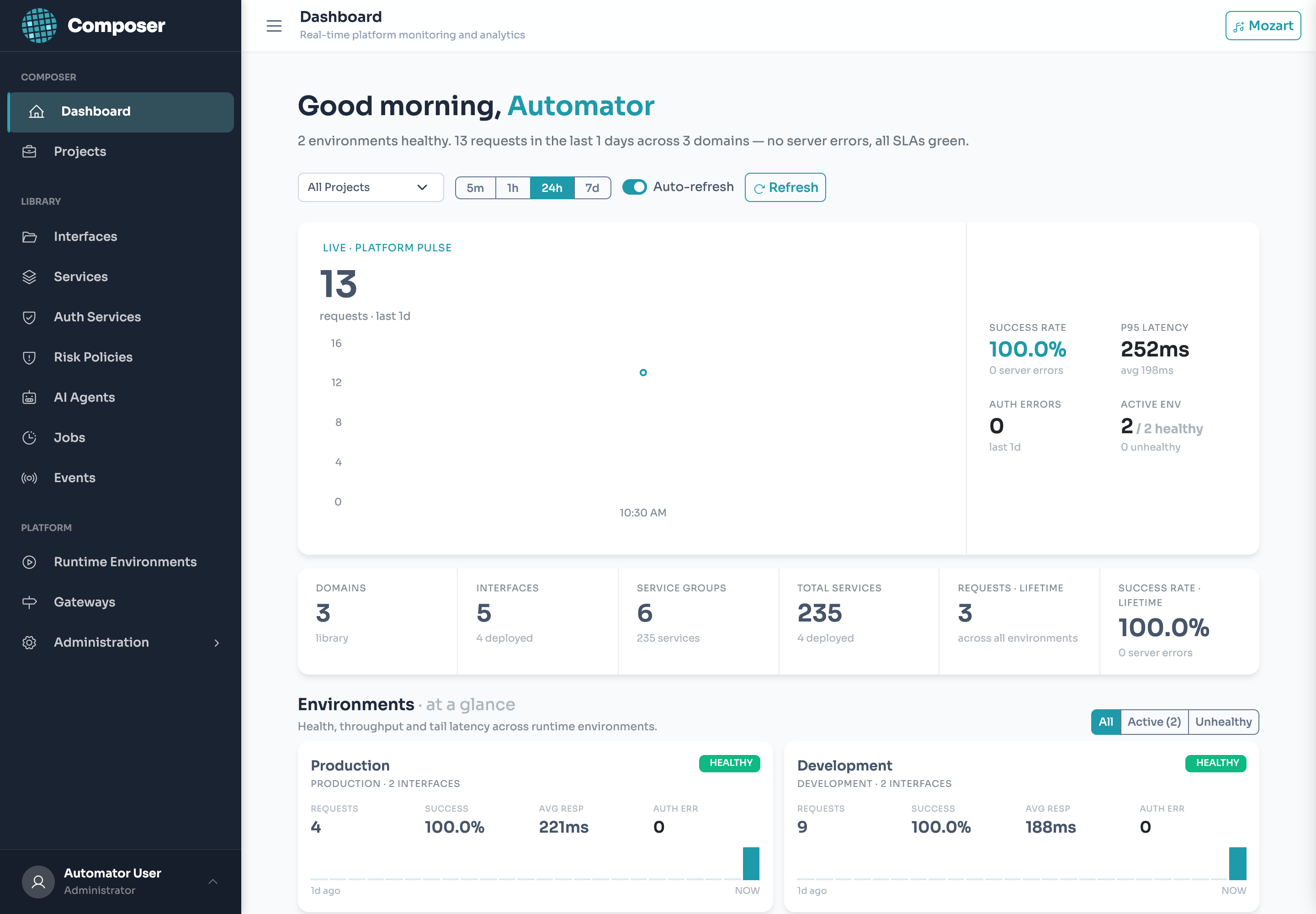
New here? Read The Golden Path and Two Rules first (5 minutes), then follow the Quickstart to ship a live API. Use the sidebar to jump to any building block.
The Golden Path
Almost everything you build follows the same five moves. Learn this once and the whole product makes sense.
Create a namespace (project + domain), connect a backend (service), publish a stable API (interface), freeze a snapshot (deploy to an environment), and your apps call it on the runtime. Agents, jobs, and events are variations on this same path.
Control Plane vs. Runtime
Composer is two cooperating services. Knowing which is which prevents most early confusion.
| Plane | You use it to… | Default URL |
|---|---|---|
| Control Plane (Backend) | Build & manage everything and deploy. The admin UI talks here. Owns the database. | :8080 (UI :3000) |
| Runtime (Data Plane) | Execute deployed integrations. This is the URL your apps call. Internet-exposed; never edited directly. | :8081 |
When you click Deploy, the backend writes an immutable snapshot and signals every runtime pod to reload. The runtime then serves from the snapshot — not your live edits.
Two Rules That Explain Everything
1. Codes are identity
Every building block has a human-readable code (e.g. get-balance). You reference things by code, never by UUID — URLs, tool mappings, exports and templates all use codes. The code auto-slugs from the name and is read-only once set.
2. Deploying freezes a snapshot
The runtime executes the deployed snapshot, not your draft. Editing changes nothing in production until you re-deploy. This makes promotion and one-click rollback safe — and is why “I changed it but nothing happened” almost always means “re-deploy.”
Prerequisites & First Login
- The three services reachable: UI (
:3000), backend (:8080), and a runtime (:8081) registered to an environment. - An admin account (none is seeded by default — created per environment during setup).
- Log in to the UI to start building.
Everything in this guide is done in the admin UI. The only API you — and your applications — consume is the interfaces you publish; see Calling Your Interfaces.
Quickstart: Your First Integration
Goal: publish GET /api/retail-banking/v1/accounts/get-balance — a stable API your apps call to read a balance, backed by a core-banking REST endpoint, with zero integration code.
1 · Create a Project & Domain
UI: Projects → New Project (“Retail Banking” → code retail-banking). Open it and add a Domain “Accounts” → accounts.
2 · Set Up an Environment
UI: Environments → Development → Variables. Add CORE_BASE_URL and CORE_TOKEN (mark the token Protected so it’s encrypted at rest and masked in logs). Anything environment-specific or secret becomes a variable referenced as {{env.X}} — dev and prod then differ only by their values.
3 · Build a Service
UI: Service Builder → New Service:
| Field | Value |
|---|---|
| Name / code | “Core Get Balance” → core-get-balance |
| Connector | REST |
| Method & URL | GET {{env.CORE_BASE_URL}}/accounts/{accountId}/balance |
| Auth | Header Authorization: Bearer {{env.CORE_TOKEN}} (or a Service Group) |
{{env.*}} pulls from the environment; {accountId} resolves from the request (path → query → body → env). Click Test Service to fire a real call and confirm the response shape before building on top of it.
4 · Compose an Interface
UI: Flow Builder (Accounts domain) → New Interface — name “Get Balance” → get-balance, verb GET; declare accountId as a query param; bind the core-get-balance service and map the field in; shape the response into your stable contract ({ "balance": …, "currency": … }).
This is the contract that stays stable
Map fields deliberately. When the core system’s response changes, you adjust the mapping — the interface your apps call doesn’t change.
5 · Deploy
UI: Project → Deploy → Development. Composer freezes a snapshot and the runtime reloads within seconds.
6 · Call It
curl 'https://runtime:8081/api/retail-banking/v1/accounts/get-balance?accountId=10042' \
  -H 'Authorization: Bearer <caller-JWT>'
# → { "balance": 1543.20, "currency": "USD" }
🎉 You shipped an integration
Connected a backend, published a stable API, deployed a reversible snapshot, and called it — no code. Everything else is a variation of these steps.
Vocabulary
| Term | What it is |
|---|---|
| Project | Top-level container and unit of deployment; its projectCode appears in every runtime URL. |
| Domain | A namespace inside a project grouping related interfaces (accounts, payments). |
| Service | A configured connection to one backend operation — the reusable block an interface calls. |
| Connector | The type of a service: REST, SOAP, JDBC, GraphQL, LLM, Notification, File, Messaging, Auth, Custom Code. |
| Service Group | Shared base URL + authentication for a family of services. |
| Interface | The stable, frontend-facing API you publish and your apps call. |
| Processor | A pre/main/post step in interface execution (transform, correlation ID, metrics). |
| Environment | A deployment target holding variables, connections, and runtime settings. |
| Deployment | The act (and record) of freezing a snapshot into an environment. |
| Agent / Job / Event | Higher-order blocks: AI agent (tools→interfaces), scheduled job (cron→interfaces), Kafka subscription (message→interface). |
Snapshots & Deploy
Deploying captures an immutable JSONB snapshot of your project’s configuration into the target environment and publishes a reload signal; every runtime pod reloads its in-memory registries from the database. The runtime always executes the snapshot, never a live entity. Consequences:
- Edits are drafts until you re-deploy — the running API is unaffected.
- Rollback is re-deploying a previous version.
- Promotion is deploying the same project to another environment — identical config, different variables.
Environments & Variables
An environment is a deployment target (Development, Production, a tenant environment). It holds:
- Variables — referenced as
{{env.X}}. Mark sensitive ones Protected: they’re encrypted at rest and masked in logs. - Connections — databases (JDBC), notification providers (SMTP/Twilio), message brokers (Kafka).
- Runtime settings — CORS, timeouts, tool/iteration limits, etc.
Never inline a secret
Put it in a Protected environment variable and reference {{env.X}}. Service config stays identical across environments; only the variable values differ.
Template Grammar
The placeholder grammar wires request data, secrets, and context into service calls and mappings. It is fixed — learn the namespaces, don’t invent syntax. (Full list in the cheat sheet.)
| Placeholder | Resolves to |
|---|---|
| {{env.X}} | Environment variable |
| {{request.body.X}} / .query.X / .path.X / .headers.X | The incoming request |
| {{session.X}} / {{token.X}} | Claims from the caller’s validated JWT |
| {x} (single brace) | Shorthand: path → query → body → env |
Services
A service is one backend operation — a REST call, a SQL query, a SOAP action, an LLM prompt. It’s the reusable unit an interface binds to. You build it once in the Service Builder, test it against the live backend, and reuse it across interfaces, jobs, and agents.
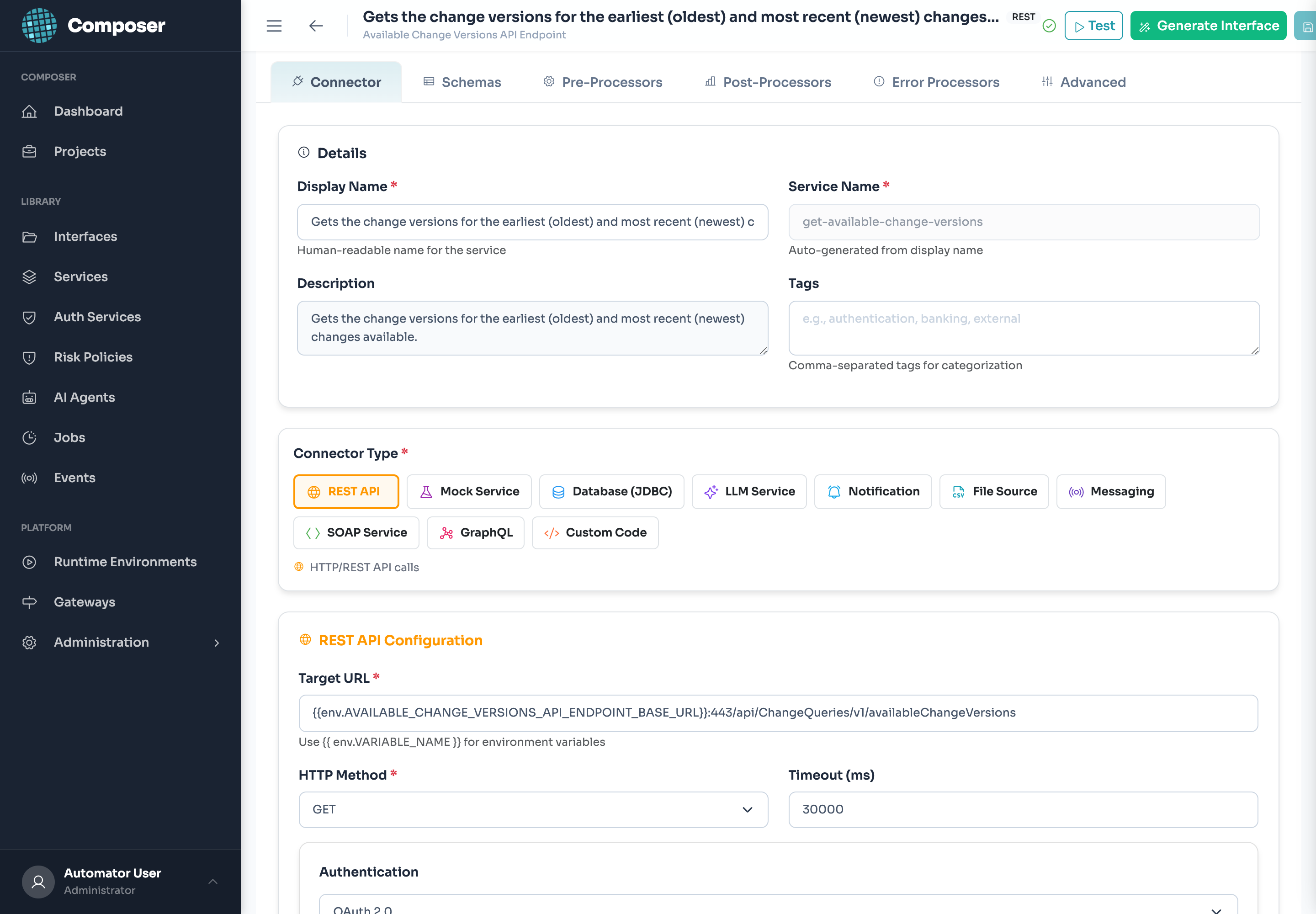
{{env.VAR}} Target URL, HTTP method, timeout and auth.Anatomy of the builder
The Service Builder is organized into tabs. You’ll touch Details and Main Connector for every service; the rest are optional.
| Tab | What it’s for |
|---|---|
| Details | Name, protocol, and metadata (below). |
| Main Connector | The backend call itself — fields depend on the protocol (REST shown below; see Connector Reference for others). |
| Schemas | Optional request/response schemas that document and validate the service’s shape. |
| Pre / Post / Error Processors | Optional transform/validation steps before the call, after a success, or on error. See Processors. |
| Advanced | Resilience and execution settings (timeout, retry, circuit breaker). |
Details tab
| Field | Notes |
|---|---|
| Display Name * | Human-readable (“Get Account Balance”). |
| Service Name | Auto-slugged from the display name and read-only (get-account-balance) — this is the service’s code. |
| Protocol * | REST · SOAP · JDBC · GraphQL · LLM · Notification · File · Messaging · Mock. |
| HTTP Method | REST only — GET / POST / PUT / PATCH / DELETE. |
| Service Path | Auto-generated (/services/{group}/{name}), read-only. |
| Description / Tags | Free text and comma-separated tags for organization. |
A service lives inside a Service Group — that’s where its shared base URL and authentication can come from, so individual services stay lean.
REST connector fields
For a REST service, the Main Connector tab gives you:
| Field | Detail |
|---|---|
| Target URL * | Full URL, with placeholders: {{env.CORE_BASE_URL}}/accounts/{accountId}/balance. |
| HTTP Method | GET / POST / PUT / PATCH / DELETE. |
| Timeout (ms) | Default 30000. |
| Authentication | None · Basic · Bearer · API Key · OAuth 2.0 — each field accepts {{env.*}} (e.g. Bearer token {{env.CORE_TOKEN}}). |
| Headers / Query Parameters | Key/value pairs; values can be templated. |
| Request Body Template | POST/PUT/PATCH only — a JSON template wired with {{request.body.*}}, {{request.headers.*}}, {{env.*}}. |
| Retry on Failure | Toggle + max attempts + backoff (ms). Also see the Advanced tab for the circuit breaker. |
Worked example — core-get-balance
The service behind our quickstart interface: a GET to the core-banking sandbox, authenticated with a Bearer token from the environment.
Protocol   REST          Method  GET
Target URL {{env.CORE_BASE_URL}}/accounts/{accountId}/balance
Auth       Bearer  →  {{env.CORE_TOKEN}}
Timeout    30000 ms     Retry   on, 3 attempts, 1000ms backoff
{accountId} is the single-brace shorthand — at execution it resolves from the request (path → query → body → env). For a POST service you’d instead supply a Request Body Template, e.g.:
{
  "fromAccount": "{{request.body.from}}",
  "toAccount":   "{{request.body.to}}",
  "amount":      "{{request.body.amount}}",
  "initiatedBy": "{{session.userId}}"
}
Always Test Service before building on it
The Test Service action fires a real call against the backend (resolving {{env.*}} from the selected environment) and shows you the live response. Confirm the response shape here — it’s what you’ll map in the interface.
Resilience & audit (free)
Every outbound service runs through a circuit breaker + retry + timeout wrapper (configurable on the Advanced tab and per-environment runtime settings) and is audited automatically — you don’t write any of that. Secrets resolved from {{env.*}} are masked in logs.
Gotchas
The service code is locked after creation (pick the display name carefully). Never inline a secret — use a Protected environment variable. And remember services only go live when the project is deployed.
Connector Reference
| Connector | Use it for |
|---|---|
| REST | HTTP/JSON APIs — the most common case. |
| SOAP | Legacy WSDL/XML services (core banking, insurance). |
| JDBC | Direct SQL via an environment database connection. |
| GraphQL | GraphQL endpoints (query + variables). |
| LLM | OpenAI, Anthropic, Bedrock, Google, Ollama — one unified factory. Powers agents. |
| Notification | Email (SMTP) and SMS (Twilio). |
| File | Read a file to rows — SFTP/FTP/S3/HTTP, or the uploaded file in the request (INPUT). CSV/XLSX. |
| Messaging | Publish to Kafka (subscribe = Event Subscription). |
| Auth / Custom Code / Mock | OAuth2 token flows; sandboxed custom logic; a Mock connector to build before a backend exists. |
Service Groups
When many services hit the same backend, a Service Group holds their shared base URL and authentication — commonly an OAuth2 machine-to-machine flow where Composer fetches and refreshes the token for you. Attach services to the group; they inherit the connection and credentials instead of repeating them. (Outbound client-cert mTLS, where used, also attaches here.)
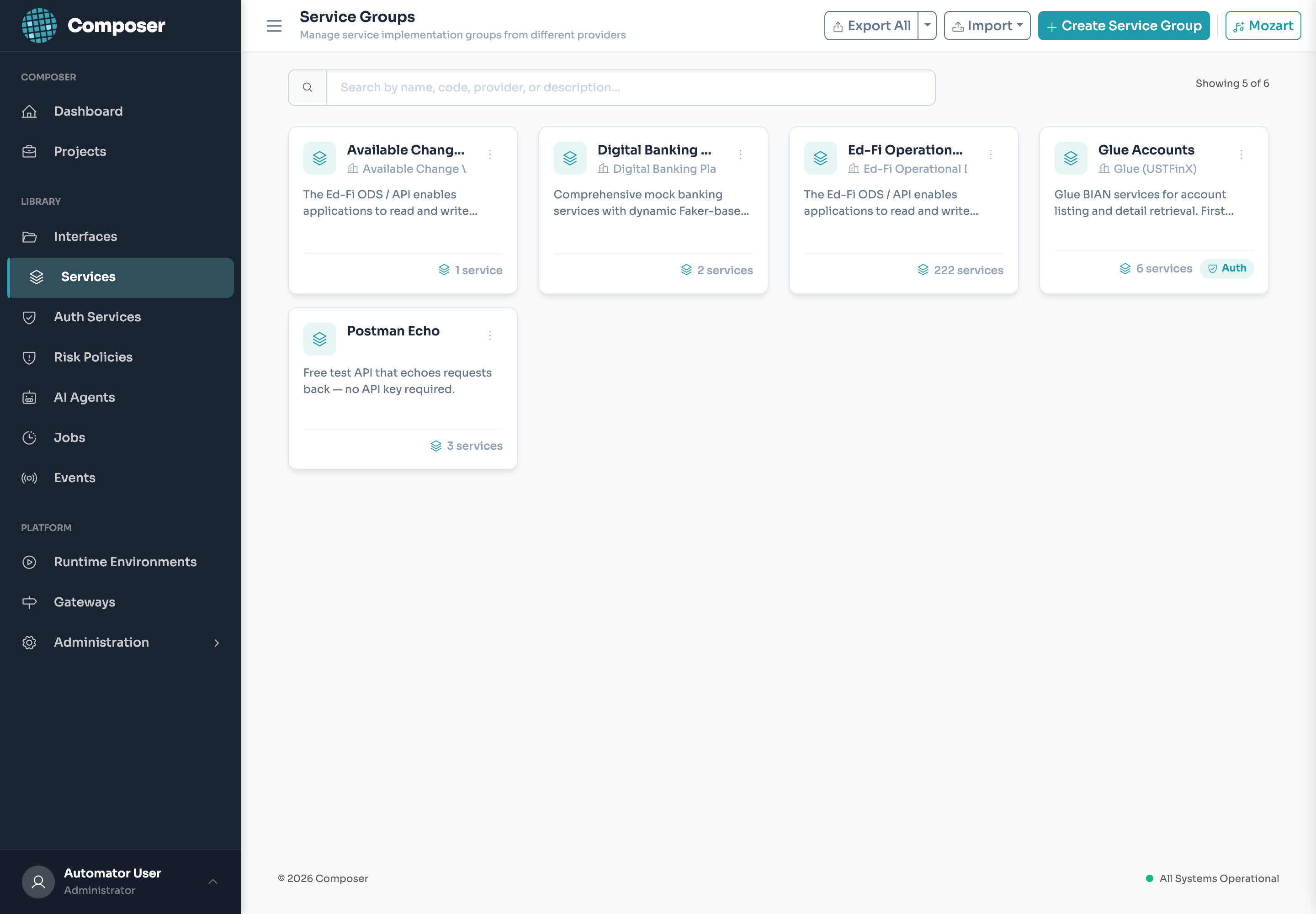
What a group holds
| Setting | Detail |
|---|---|
| Base URL | Shared host/prefix for member services. |
| Group Authentication | One auth config (commonly OAuth2 M2M) the runtime applies to every member call — fetching and refreshing the token for you. Toggle it on per group. |
| Outbound mTLS | Where required, the client certificate attaches at the group. |
| Member services | Each shows its protocol, method, and how many interfaces link it. |
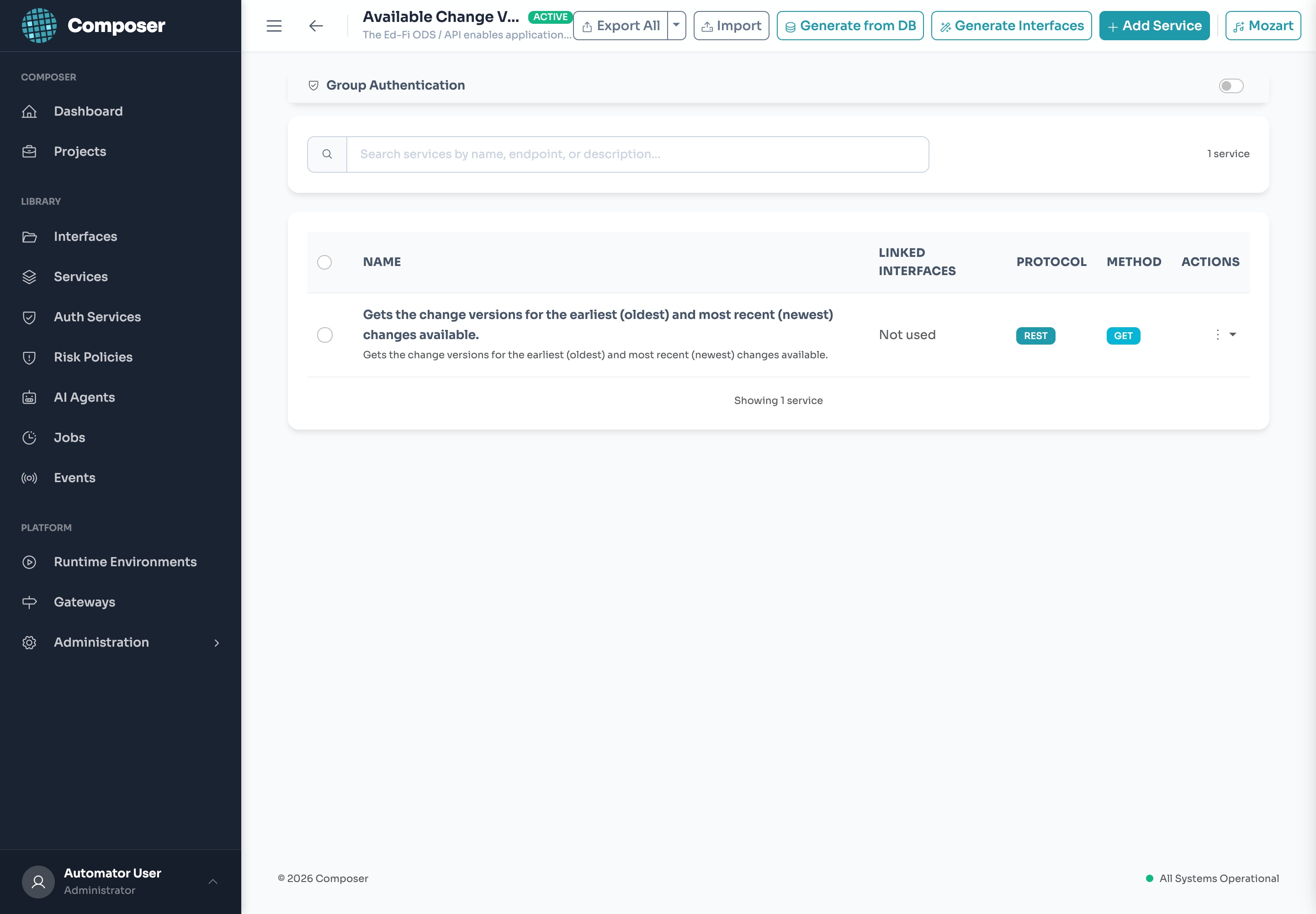
Generate, don’t hand-build
From a group you can Generate from DB (introspect a database into services) and Generate Interfaces (scaffold interfaces over the group’s services) — a fast path from a backend to a callable API.
Why groups
Put the connection and credentials on the group once; member services stay lean, and a credential rotation becomes a single edit instead of one per service.
Interfaces
The interface is the contract your apps consume. It lives in a domain, binds one or more services, and shapes the request/response. Built in the Flow Builder.
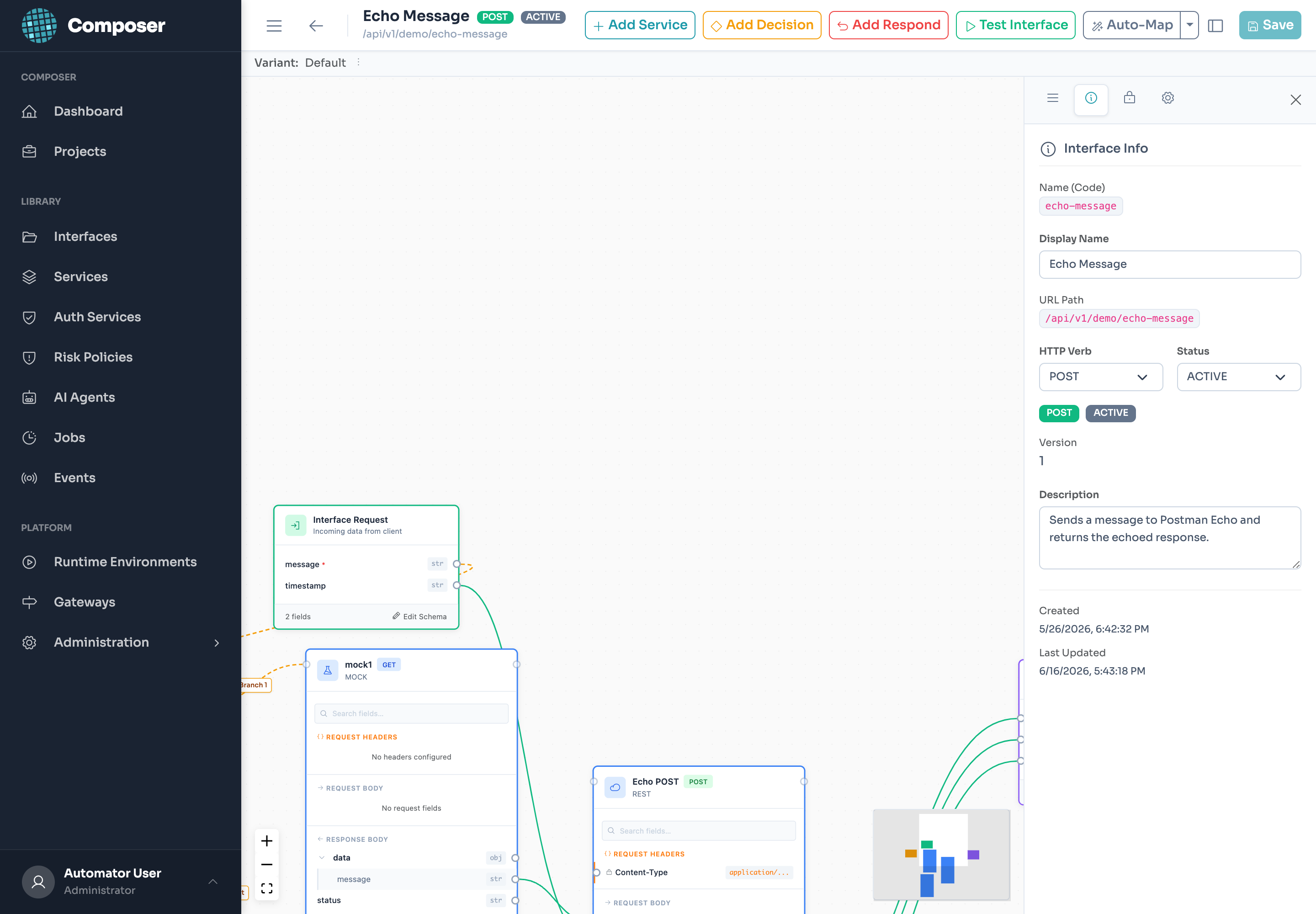
Anatomy of the Flow Builder
An interface is a small graph: an Interface Request node (the inputs callers send) flows through one or more service nodes and ends at a response. You wire fields by dragging from one node’s output to another’s input — no code.
| Node / control | What it does |
|---|---|
| Interface Request | Declares the inbound schema (fields, types, required). Edit Schema opens the editor; these fields become {{request.body.*}} / {{request.query.*}}. |
| Add Service | Drops a bound service onto the canvas; map request (and prior-step) fields into it. |
| Add Decision | A branch — route to different services or responses on a condition. |
| Add Respond | Shapes the public response (status + body), mapping service outputs into a stable schema. |
| Auto-Map | Suggests field mappings by matching names and types between connected nodes. |
| Test Interface | Runs the whole flow against a chosen environment and shows the response — without leaving Composer. |
Interface settings
| Field | Notes |
|---|---|
| Display Name * | Human-readable (“Echo Message”). |
| Name (Code) | Auto-slugged, kebab-case (echo-message) — the identity used in the URL and exports. |
| URL Path | The runtime path, e.g. /api/v1/demo/echo-message. |
| HTTP Verb * | GET / POST / PUT / PATCH / DELETE. |
| Status | ACTIVE / INACTIVE — inactive interfaces don’t serve traffic. |
| Version | Integer; surfaces in the URL as v{version}. |
Variants
One interface contract can have multiple variants — alternate implementations behind the same public shape (a v2 backend, an A/B route, a per-tenant flow). Callers don’t change; the runtime selects the variant.
Synchronous or async
Synchronous by default. An interface can instead return 202 { "executionId": … } and be polled at …/_async/{executionId} — for long-running or bulk work, with no contract change for callers who opt in.
Test before you deploy
Test Interface executes the full flow (services, mapping, processors) against the environment you pick, so you validate the public response shape before anyone consumes it. Called in production at /api/{projectCode}/v{version}/{domainCode}/{interfaceName} — see Calling Your Interfaces.
Gotchas
An interface only serves traffic once its project is deployed and its status is ACTIVE. The code and version are part of the public URL — renaming breaks callers, so version instead.
Auth Services Identity
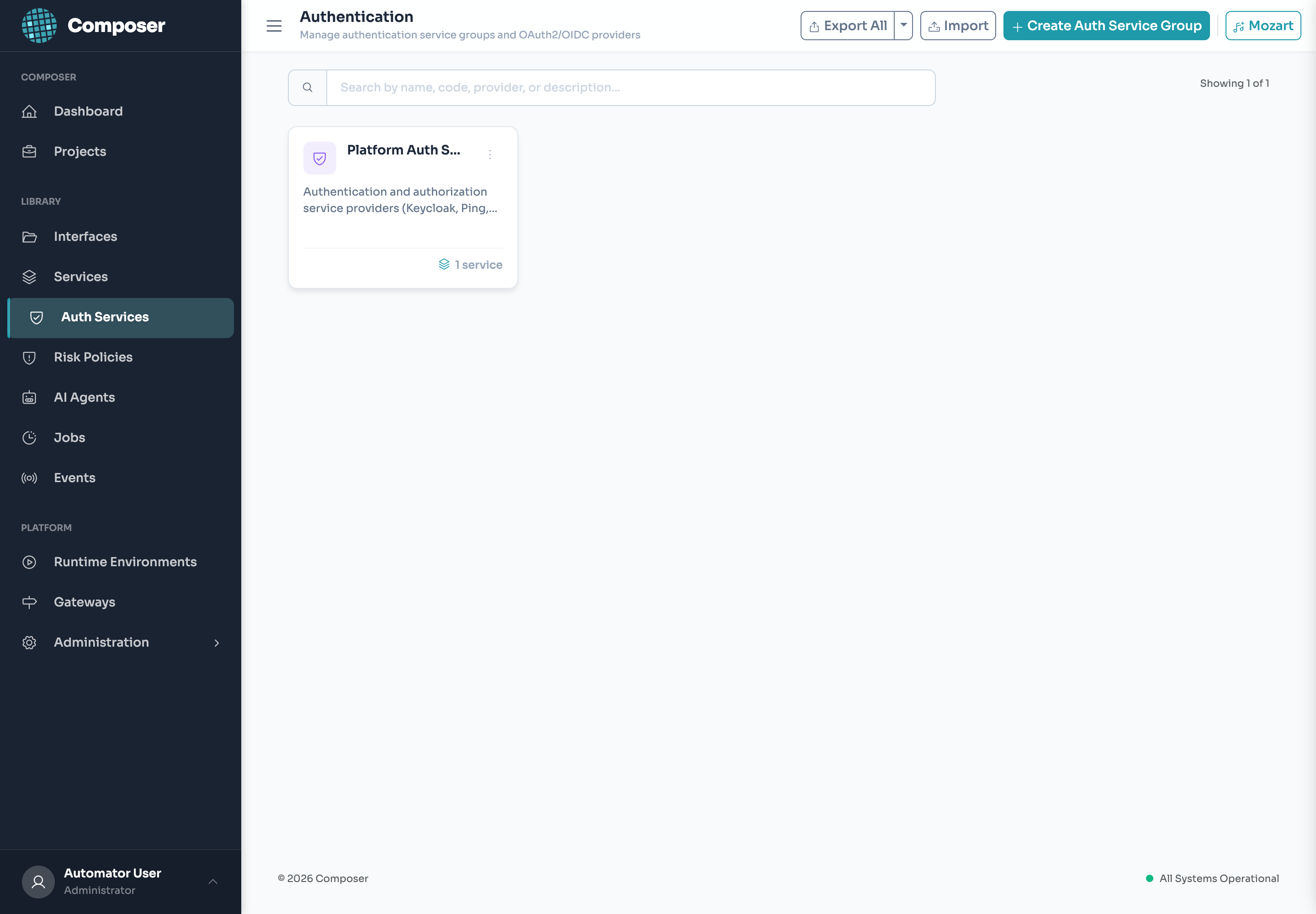
An Auth Service defines how callers are authenticated and how their identity is enriched — without Composer becoming your IdP. A project points its interfaces at an auth service (e.g. an OIDC/Keycloak issuer); the runtime then validates the caller’s JWT (issuer, audience, expiry, signature) before any flow runs, and exposes claims to templates as {{session.*}} / {{token.*}}.
What it validates
On every call the runtime checks the caller’s JWT before any flow runs, and rejects it on failure:
| Check | Detail |
|---|---|
| Signature | RS256 / ES256 verified against the issuer’s JWKS; alg:none rejected. |
| Issuer & audience | iss / aud must match the configured issuer and audience. |
| Validity window | exp / nbf enforced. |
| Claims → templates | Validated claims are exposed as {{session.*}} / {{token.*}} for use in services and mappings. |
Identity enrichment (optional)
After a token validates, an auth service can run one or more interfaces to fetch extra context (roles, entitlements, customer profile) and persist it on the session — available downstream as {{session.*}}. Field values are never logged. OAuth2 login/refresh/logout flows are mediated by the runtime where needed.
Using claims in a flow
{
  // templated into a service body
  "initiatedBy": "{{session.userId}}",
  "tenant":      "{{token.tenant_id}}"
}
Composer validates, it doesn’t issue
MFA and credential issuance stay with your IdP. Composer enforces the token and routes by it; a routing/claim decision is never an authentication decision.
Gotcha
An interface is only protected if its project points at an auth service. Enrichment interfaces run on every login — keep them fast, and count their backends in your auth latency budget.
Processors
Processors are ordered steps around a call — configurable on an interface and on each service. They reshape, validate and trace without standing up another backend.
Where they run
| Stage | Runs |
|---|---|
| Pre | Before the call — validate, enrich, or reshape the request. |
| Post | After a successful call — reshape or augment the response. |
| Error | On failure — map errors to a clean contract, set fallbacks. |
Built-ins
| Processor | Use |
|---|---|
| Correlation ID | Stamps and propagates a trace ID through every step and out to backends. |
| Metrics | Emits per-step timing and counters to the metrics pipeline. |
| JSON Transform | Reshapes a payload with the template grammar — rename, nest, default, drop. |
When a built-in doesn’t fit, a Custom processor runs sandboxed logic. Combine processors with templates to reshape requests and responses entirely in configuration.
AI Agents Governed
An agent is an LLM-driven assistant whose tools are your interfaces. When the model decides to call a tool, Composer executes the bound interface in-process — so an agent can do anything your interfaces can, behind the same auth and audit.
Two types
| Type | For |
|---|---|
| FREEFORM | Open conversation — the model decides which tools to call and when. |
| STEP | A guided, ordered workflow — the agent advances through defined steps, calling interfaces along the way. |
Tools are your interfaces
Each tool maps to a deployed interface by code (the tool name is snake_case — the LLM function name). When the model calls a tool, Composer executes the bound interface in-process, behind the same auth, mapping and audit as any other call. An agent can do exactly what its interfaces can — no more.
How a turn runs
- Input guardrails screen the incoming message (prompt-injection, off-topic, PII).
- The model responds, optionally emitting tool calls.
- Tool calls execute as interface calls; results return to the model.
- Output guardrails screen the reply; a disclosure is appended where configured.
- The turn is logged with model, token counts, cost, latency and guardrail verdicts.
A blocked turn returns a friendly, category-aware message (not an error), so callers degrade gracefully.
Governance manifest (per agent)
| Setting | Detail |
|---|---|
| Risk tier | Classifies the agent’s blast radius; drives disclosure and review defaults. |
| Guardrails | Input/output checks — prompt-injection screening, PII redaction, topic limits. |
| Disclosure | Text appended to responses (e.g. “You’re chatting with an AI assistant…”). |
| Accountability | The agent records who created and who deployed it — the accountable owners. |
| Telemetry | Per-turn model, tokens, cost, latency and decision lineage — on by default. |
Build in the Agent Builder (provider/model, system prompt, tools, and a Governance tab); deploy with the project. Consumed at POST /api/{projectCode}/v{version}/agents/{agentCode}/chat. The agent dashboards live in Observability.
Gotcha
An agent inherits the permissions of the interfaces you give it — scope its tools deliberately. Guardrails and disclosure are per-agent; set them in the Governance tab before deploying.
Scheduled Jobs
A job runs interfaces on a cron schedule instead of on an incoming request — nightly reconciliations, batch exports, polling. A job has ordered steps, each calling an interface, with data passed between them via {{step.data.X}}. Jobs deploy with the project and run on the runtime with distributed locking; every run is audited.
Anatomy
| Part | Detail |
|---|---|
| Schedule | A cron expression — when the job fires. |
| Steps | Ordered, each calling one interface. |
| Step data | A step reads a prior step’s output via {{step.data.X}}. |
Execution
Jobs deploy with the project and run on the runtime under distributed locking — exactly one pod runs each scheduled execution, so a multi-pod runtime never double-fires. Every run is recorded to job_executions and audited.
Gotcha
A job is a server-side caller, not an inbound request — there’s no {{session.*}}. Authenticate its interfaces with environment credentials ({{env.*}}), and keep step interfaces idempotent in case of a retry.
Event Subscriptions
The subscribe side of messaging. An Event Subscription consumes a Kafka topic (the broker is an environment connection) and, per message, maps fields with {{message.*}} into an interface request and executes it.
How it works
| Part | Detail |
|---|---|
| Topic | A Kafka topic on a broker defined as an environment connection. |
| Mapping | Per message, fields map via {{message.*}} into an interface request. |
| Delivery | retry → dead-letter → skip semantics, per message. |
Bind it to interfaces and deploy it with the project. This turns an event stream into governed interface calls — same auth, mapping and audit — without a bespoke consumer.
Gotcha
Like jobs, a subscription is a server-side caller (no {{session.*}}). Design the bound interface to be idempotent — a redelivery after a transient failure will call it again.
Risk Policies & the Risk Gate
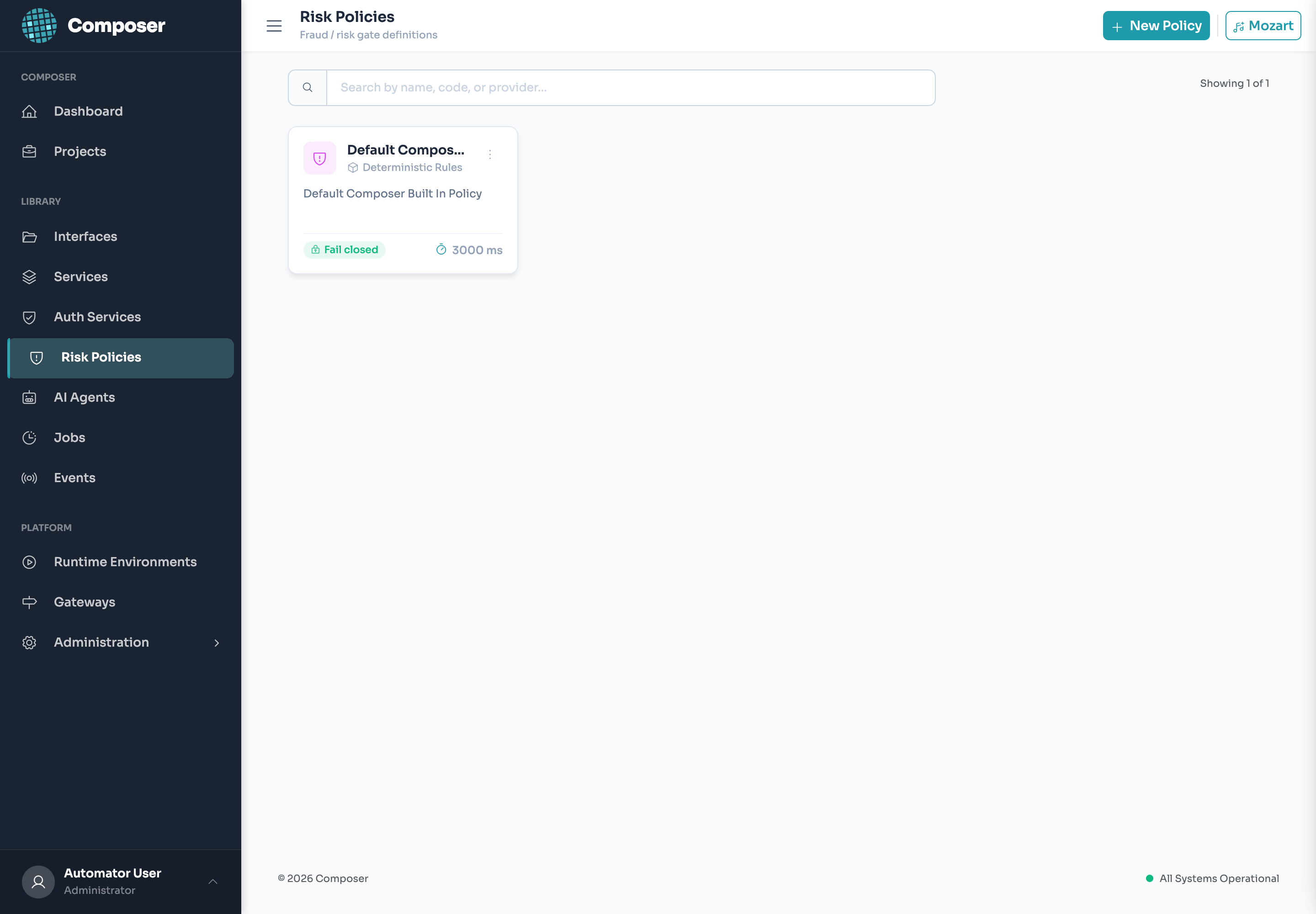
An optional decision stage that runs inside interface execution — after authentication, before your flow. It scores the request (your model, built-in rules, or a fraud vendor) and returns one standard verdict:
ALLOWCHALLENGEDENYREVIEW
The four verdicts
| Verdict | Effect |
|---|---|
| ALLOW | Proceed to the flow. |
| CHALLENGE | Proceed, but signal step-up (e.g. MFA) to the caller. |
| DENY | Block the request before the flow runs. |
| REVIEW | Allow, but flag for human/queue review. |
Scoring providers
| Provider | Use |
|---|---|
| Deterministic Rules | Built-in, transparent rules (amount thresholds, velocity, allow/deny lists) — the default, no vendor needed. |
| Your model | Score via one of your own interfaces or agents. |
| Fraud vendor | A third-party risk/fraud provider. |
Rollout
Start in shadow (score and log, block nothing), tune against real traffic, then enforce per project/interface. The gate fails closed by default — if scoring is unavailable the request is denied, not waved through. Every decision is recorded as a locked, auditable RiskDecision and streamed to a live dashboard. No contract change for callers.
Gotcha
Fail-closed means a flaky scorer becomes an outage — give it a tight timeout and validate in shadow first. Decisions are immutable once recorded; re-scoring is a new decision, not an edit.
Observability
Everything you build is observable out of the box: per-interface metrics, a correlation ID through every step, and a masked security-audit trail. These feed:
- Grafana dashboards (provisioned as code) — Runtime, Risk, Agents (tokens/cost/latency, guardrail trips), and a compliance Audit board.
- In-app live trackers — Risk Decisions and Agent Executions, streaming in the admin console.
For agents, full prompts stay in your on-prem audit store; only masked content and metrics leave the box. See the AI Observability & Governance brochure for the full picture.
Deployments & Promotion
Deploy a project to an environment to go live; deploy the same project to another environment to promote (dev → prod) — identical config, environment-specific variables. Each deployment is a versioned, immutable snapshot, so rollback is re-deploying a prior version. Health/readiness probes and audited deployment events round out safe operations.
Template Grammar Cheat Sheet
| Namespace | Example | Source |
|---|---|---|
| env | {{env.CORE_BASE_URL}} | Environment variables |
| request | {{request.body.amount}}, {{request.query.id}}, {{request.path.id}}, {{request.headers.X-Trace}} | The incoming request |
| session / token | {{session.userId}} | Caller’s validated JWT claims |
| today | {{today.yyyy-MM-dd}} | Current date, formatted |
| step / message / agent | {{step.data.x}}, {{message.x}}, {{agent.code}} | Job steps, Kafka messages, agent context |
| {x} (single brace) | {accountId} | Shorthand: path → query → body → env |
Calling Your Interfaces
Once deployed, an interface is your API. Your applications call it on the runtime at a predictable, project-scoped URL — this is the entire surface your apps integrate against. (Building and operating Composer itself stays in the admin UI; there’s nothing else for your apps to call.)
URL pattern
{runtime}/api/{projectCode}/v{version}/{domainCode}/{interfaceName}| Part | Example |
|---|---|
| projectCode | retail-banking |
| version | v1 |
| domainCode | accounts |
| interfaceName | get-balance |
Authentication
Send the caller’s bearer token: Authorization: Bearer <JWT>. The runtime validates it against the project’s Auth Service before the flow runs, and exposes its claims to templates as {{session.*}}.
Synchronous vs. async
Synchronous interfaces return the result on the same call. Async interfaces return 202 { "executionId": … } immediately; poll the async status endpoint (…/_async/{executionId}) for the result. Same contract either way — no change for callers.
# call a deployed interface
curl 'https://runtime:8081/api/retail-banking/v1/accounts/get-balance?accountId=10042' \
  -H 'Authorization: Bearer <caller-JWT>'
AI agents
Deployed agents are consumed the same way — POST {runtime}/api/{projectCode}/v{version}/agents/{agentCode}/chat — project-scoped and JWT-authenticated. See AI Agents.
Naming & Conventions
| Rule | Detail |
|---|---|
| Codes are identity | Reference by code, never UUID. |
| Codes are read-only | Auto-slugged from the name at creation, then locked. Pick the name carefully. |
| Casing | Interfaces/agents kebab-case; agent tool codes snake_case. For agents, name = code. |
| Use the picker | Reference other objects via the shared picker, not hand-typed identifiers. |
| Secrets in variables | Protected env variable + {{env.X}} — never inline. |
Troubleshooting
| Symptom | Likely cause & fix |
|---|---|
| 404 on the runtime URL | Wrong URL shape or not deployed. Confirm /api/{projectCode}/v{version}/{domainCode}/{interfaceName} and the right environment. |
| “Changed it, nothing happened” | You didn’t re-deploy. The runtime serves the snapshot. |
| 401 / 403 | Missing/expired caller JWT, or a required scope/role the token lacks. |
Unresolved {{env.X}} | Variable not set in the target environment, or deployed to a different one. |
| Secret shows as **** | Data masking working as intended — protected values are masked in logs. |
Where to go next
The Technical Documentation (architecture, security, deployment), the Fraud & Risk brochure, and the AI Observability & Governance brochure go deeper.